If you’re here, chances are you’re in the market for a new HPC server, and GPUs are probably the biggest headache right now. Let’s be real—choosing the right GPU for HPC isn’t like grabbing a gaming card off Newegg. It’s not just about teraflops or a shiny number on a spec sheet. I’m not some corporate sales guy spitting generic lines; I’m on the HPC server side every day, talking to researchers, engineers, and startups that mess up all the time because they picked the wrong GPU. Last quarter alone, we had three clients call us panicking ‘cause their “top-tier” GPU was bottlenecking their molecular dynamics simulations. So let’s cut the fluff and get into how you actually pick an HPC GPU that doesn’t waste your cash or kill your project timeline. HPC Servers

First off, stop fixating on “latest and greatest.” Yeah, NVIDIA drops a new A100 or H100 every six months, and AMD’s pushing MI300s like they’re hotcakes, but that doesn’t mean your lab needs the absolute top dog. I had a climate research client last year that jumped on H100s ‘cause their peer lab had them, but their models only used 40% of the H100’s compute power. They spent $200k more than they needed to, and their air conditioning bill went through the roof. Instead, start with what you’re actually running. What’s your workload? Is it AI training, CFD simulations, quantum computing, genomics sequencing, or something niche like astrophysics data processing? Each of these eats GPUs differently. AI training loves Tensor Core performance—those specialized cores that crunch matrix math way faster than general CUDA cores. CFD, though? It’s all about raw FP64 throughput—you need that double-precision firepower to solve fluid equations accurately. Genomics? They swing back and forth, but often benefit from a mix of Tensor and CUDA, ‘cause they’re running both sequence alignment and variant calling. If you can’t name your workload’s “primary math type,” go check your software docs—they’ll usually list required GPU specs.
Next, memory is non-negotiable, but not all memory is created equal. I can’t tell you how many times we’ve heard, “We have a GPU with 80GB VRAM, that’s enough,” only to find out their job needs 90GB ‘cause they forgot about overhead. VRAM is where your data lives when it’s being processed—if it doesn’t fit, your job spends all its time shuffling data between the GPU and system RAM (that’s called CPU-GPU data transfer, and it’s a death sentence for speed). For AI training, especially large language models (LLMs), you need at least 80GB of HBM3 if you’re running 70B+ parameter models. Old GDDR6 cards (like the A100’s early variants with 40GB GDDR6) will choke here. For CFD or FEA (finite element analysis), FP64 memory bandwidth matters more than pure VRAM size—wait, no, actually you need both. A lot of engineers mix up bandwidth and capacity. If you’re simulating a jet engine’s cooling channels, you need enough VRAM to hold the entire mesh, plus the solver’s state, so that’s often 64GB+ HBM. Genomics folks usually get away with 40GB, but if they’re doing whole-genome sequencing on a batch of 50 samples, bump up to 80GB. Pro tip: Run a quick test of your actual workload on a cloud instance with a GPU of similar spec before buying. Most cloud providers let you spin up a test node for an hour or two—do that. We always tell clients to skip the pre-order and test first, ‘cause buyer’s remorse here is brutal.
Then there’s the host of practical stuff you’ll never see on a spec sheet: power, cooling, and compatibility. HPC servers aren’t your gaming PC—your data center’s power distribution won’t handle a rack full of H100s without upgrades. A single H100 PCIe consumes ~700W, while an A100 is ~400W. If you have an old rack with 20A circuits, that’s 2400W total per circuit—three H100s would blow that. I had a university client last year that didn’t check their power before ordering 10 H100s, and they had to rewire their entire server closet at a cost of $50k. Not fun. Cooling is another one: HPC GPUs run hot, especially under load. If you’re doing air cooling, you need high-velocity fans that can move a lot of air—water cooling is way more efficient, but it’s a bigger upfront cost. Also, compatibility with your existing server is huge. Do you have a PCIe 4.0 slot or only PCIe 3.0? If you put an H100 (which uses PCIe 5.0) in a PCIe 3.0 slot, you’re cutting its performance in half. A100s work fine on PCIe 4.0, but PCIe 5.0 unlocks their full potential. Also, check if your server’s motherboard supports the number of GPUs you want. A lot of budget HPC servers only have 2 GPU slots, but if you need 8 for a distributed AI training job, you need a server with a full PCIe switch. Don’t skip this step—we’ve had clients show up to install their new GPUs and find out their motherboard can only handle 2, so they have to return half.
Wait, let’s talk about vendors, ‘cause NVIDIA and AMD are the only real players in HPC GPUs, right? Yeah, maybe one or two niche ones, but 99% of the market is NVIDIA and AMD, and it’s not a “NVIDIA is always better” or “AMD is cheaper” thing. Let’s break it down. If you’re deep into NVIDIA’s CUDA ecosystem—meaning you use software like TensorFlow, PyTorch, VASP, or GROMACS—NVIDIA is non-negotiable. A lot of those codes are optimized specifically for NVIDIA’s CUDA cores and Tensor Cores, so switching to AMD would mean a massive rewrite of your workflow, which is not worth it unless you’re saving 40% on costs. But if you’re running older Fortran-based codes that are heavy on FP64, AMD’s MI250X or MI300 might be a better bang for your buck. They’ve got great raw double-precision performance and are usually cheaper than NVIDIA’s equivalent. Also, software support: NVIDIA has the bigger ecosystem, but AMD’s ROCm is getting way better these days—just don’t expect it to work with every niche HPC tool yet. If you’re a startup with a custom AI model, maybe test AMD first for cost savings, but if you’re a big lab running established codes, stick to what you know, but don’t refuse to test alternatives. We had a lab switch from A100s to MI250s for their climate models and saved $120k a year, no performance hit, ‘cause their code was optimized for FP64, not Tensor Cores.
Now, let’s get into use case deep dives ‘cause generic advice sucks. Let’s say you’re running AI/ML training: If you’re training small models (under 10B parameters), an NVIDIA A10 24GB works fine—way cheaper than an H100. If you’re training 70B+ LLMs, you need H100 80GB or MI300X 128GB. For inference (running trained models, not training), you can get away with smaller cards—A10G 24GB or AMD MI25 16GB. Inference doesn’t need as much Tensor Core oomph, just enough VRAM to hold the model. For CFD and FEA: You want FP64 performance first. NVIDIA A100 40GB (the old PCIe version, not the SXM, ‘cause PCIe is fine for most) or AMD MI250X. The MI250X has two compute dies, so it’s like two GPUs in one, great for big mesh simulations. For genomics: Sequence alignment tools like BWA are optimized for CUDA, so NVIDIA is your go-to, but you can get away with A100 40GB or even an RTX A6000 for smaller batches. For distributed computing (running a job across multiple GPUs), you need fast interconnect. NVIDIA’s NVLink is way faster than PCIe for multi-GPU communication, so if you’re running 4+ GPUs, get NVLink-enabled cards (A100 SXM or H100 SXM). AMD uses Infinity Fabric, which is good, but not as widely adopted in HPC clusters as NVLink yet.
Wait, another big one: total cost of ownership (TCO), not just sticker price. That $10k GPU might look cheaper, but if it uses twice as much power as a $12k GPU, over 3 years that’s $15k in electricity. We had a client that picked a cheap AMD GPU for their AI jobs, but it used 350W vs. the NVIDIA A100’s 400W, but the AMD job took twice as long, so total power cost was higher. TCO isn’t just the GPU—calculate power, cooling, maintenance, and software licensing. Also, warranty: HPC GPUs run 24/7, so if a card dies, your job is down. NVIDIA and AMD both have 3-year warranties, but some third-party HPC vendors offer extended warranties for critical workloads, which is worth paying for if you can’t afford downtime.
Let’s wrap this up with some red flags to watch for. If a vendor tries to sell you a gaming GPU for HPC, run. Gaming GPUs (like RTX 4090) lack ECC memory, which is essential for HPC—ECC fixes data corruption errors that pop up during long, heavy jobs. No ECC = risk of crashing mid-simulation, losing weeks of work. Another red flag: a GPU vendor that doesn’t know your workload. If they just say “this is the best GPU” without asking what you’re running, they’re selling you something you don’t need. And lastly, don’t forget about scaling. If you’re going to add more GPUs down the line, make sure your server cluster can grow. Buying a single GPU now might be cheap, but if you have to replace your server to add 4 more later, that’s a huge waste.
At the end of the day, choosing an HPC GPU is about matching your specific workload, not chasing specs. You don’t need the fastest card if your job only uses 20% of its power. You don’t need 100GB VRAM if your data fits in 32GB. If you’re still confused, don’t guess—reach out to us. We’ve helped 100+ labs and startups pick the right GPUs, avoiding those costly mistakes like overbuying or compatibility issues. We’ll ask you what exactly you’re running, run quick tests if needed, and build a server that fits your needs and your budget. No pushy sales, no hidden fees, just honest advice from people who work with HPC every day.
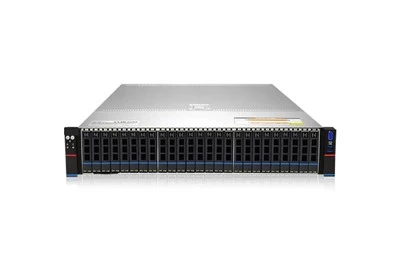
If you’re ready to stop overspending on GPUs or fixing bottlenecks that are killing your job timelines, hit us up to chat through your needs. We can share real case studies from similar projects, break down TCO for different options, and make sure you walk away with something that works for you, not just a sale.
GPU Server / AI Compute Server References
NVIDIA HPC Product Documentation, NVIDIA Corporation
AMD Instinct HPC Series, AMD Inc.
International Conference on High Performance Computing, Networking, Storage and Analysis (SC) Workload Guides
Top500 Supercomputer Site Annual Reports
Shenzhen TFNEW Technology Co., Ltd.
Shenzhen TFNEW Technology Co., Ltd. is is one of the most professional testchild manufacturers and suppliers in China, also supports customized service. We warmly welcome you to wholesale bulk cheap testchild from our factory. If you have any enquiry about cooperation, please feel free to email us.
Address: Room 408, Block F, Zhantao Commercial Plaza, No.376 Longhua Jianshe Road, Longping Community, Dalang Sub-district, Longhua District, Shenzhen City
E-mail: jack@tfnew.com
WebSite: https://www.tfictai.com/
