If you’re getting into setting up a home network, a small office, or upgrading old wired connections, Cat5e cables are the go-to pick—they’re cheap, reliable, and work great for everything from streaming to gaming. But let’s be real: trying to crimp or terminate a Cat5e cable without the right tools is basically a recipe for frayed wires, bad connections, and wasted time. As someone who’s been supplying Cat5e cables for years, I’ve seen beginners show up with a pair of scissors and a wish, only to leave frustrated because their cable won’t connect right. Today, I’m breaking down exactly what tools you actually need to install Cat5e cable—no fancy, overpriced gadgets required, just the stuff that gets the job done right. Cat5e Cable

First up, the most important tool in the whole process: a Cat5e cable crimper. This isn’t the tiny, flimsy plier you might grab from a toolbox for random jobs—those bend the pins too hard or too soft, so they don’t lock into the RJ45 connectors properly. A real Cat5e crimper is a heavy-duty, ratcheting model that only releases when you’ve pressed hard enough to seat the pins all the way. Why does that matter? If a pin is loose, your internet might cut out randomly, or you’ll get super slow speeds. I see beginners skipping or cutting corners here all the time, and it almost always leads to a do-over a week later. Pro tip: if you plan to do more than one cable, don’t buy the $10 plastic one—spend $20-$25 on a good metal crimper; it’ll last for hundreds of cables, and you won’t hate yourself when you’re crimping your 10th cable at 10 PM.
Next, RJ45 modular connectors—sometimes people call these “RJ45 plugs,” and they go hand-in-hand with the crimper. These are the little plastic pieces with 8 tiny metal pins that plug into your router, switch, or computer. For Cat5e, you need 8P8C RJ45 plugs, not the older RJ11 ones that are for phone lines. I always recommend getting gold-plated plugs if you can swing it—they resist corrosion way better than cheap nickel-plated ones, so your connection stays strong for years. Even if you’re on a budget, don’t skimp here; a pack of 50 gold-plated plugs is only a few bucks more than 100 cheap ones, and it’s worth the peace of mind. Also, make sure they’re compatible with Cat5e—they’re standard, but some no-name plugs are too small and fall apart when you crimp, so always buy from a reliable supplier (ahem, that’s us) instead of random gas station stuff.
Then, a cable stripper—this is the tool that removes the outer plastic jacket from the Cat5e cable without cutting the thin, colored wires inside. Cat5e has four twisted pairs of wires, right? They’re color-coded: orange, green, blue, brown, and each pair has a solid color and a white-striped version of the same color. If you use a regular knife or scissors to strip the jacket, you’ll almost always snip one of those tiny wires, and that cable is useless. A good cable stripper has a built-in adjustable blade so you can set it to cut exactly through the outer jacket, not the inner wires. Some strippers also double as cable cutters, which saves you from needing an extra tool, and they work for all types of Ethernet cables, not just Cat5e. Avoid the ones that are too small or have flimsy blades—cheap strippers will slip and mess up your cable every time.
Wait, speaking of cutting the inner wires, you’ll need a cable cutter too—even if your stripper has one, a dedicated cable cutter gives you a clean, straight cut on the inner wires before you line them up. When you’re terminating a Cat5e cable, you need to cut the twisted pairs to a precise length (usually about half an inch from the outer jacket) so they all fit neatly into the RJ45 plug. If the cut is uneven, some wires will stick out the end of the plug, and you won’t be able to crimp it right. A good cable cutter is sharp and makes a quick, flat cut—no ragged edges, no fraying. I keep a small one in my tool bag at all times, even for small jobs; it’s way better than trying to snip wires with kitchen scissors.
Now, a wire stripper might sound like the same thing as a cable stripper, but no—wait, let’s clarify: the cable stripper removes the outer jacket, and a small, precise wire stripper is used to strip the tiny insulation off each individual inner wire before you put them into the RJ45 plug. Each of the eight inner wires has its own thin plastic coating, and you need to strip about a quarter-inch of that off the end so the metal pin on the RJ45 plug can make contact. If you skip this step or strip too much, the wires won’t connect properly, and you’ll get a weak signal. The small wire strippers are designed for this exact job—they have tiny slots for each wire size, so you don’t nick the wire itself. Beginners often skip this and try to bite the insulation off, which is messy and never works well.
Then we have something that’s easy to overlook: a cable tester. Once you’ve crimped your Cat5e cable, you have to test it to make sure it works before you hide it in the wall or under the floor. A cable tester checks if all eight wires are connected correctly, if there are any shorts, or if a wire is reversed—common mistakes when lining up the colored wires. Some cheap testers just light up for continuity, but I recommend a basic 2-pack tester (one for each end of the cable) that tells you exactly which wire is miswired. If you don’t have a tester, you could spend an hour running the cable and then realize it doesn’t work, and you have to pull it all back out and redo it. Trust me, $15 for a tester is way less frustrating than pulling 50 feet of cable through a wall because you messed up one wire.
Wait, do you need anything else? Let’s think—if you’re running the cable through walls or ceilings, you might need a fish tape, which is a thin, flexible metal or plastic stick that you feed through gaps to pull the cable along. But that’s more for larger installations, not a basic termination. For the actual act of installing and terminating Cat5e cable, the tools I listed are non-negotiable. Now, let’s talk about some common mistakes people make, because I’ve seen these so many times. First, not untwisting the pairs enough when lining up the wires—each pair is twisted to reduce interference, and if you untwist them too far, you’ll get signal loss. The rule is: untwist only as much as you need to line up the wires, no more. Second, not cutting the wires straight before putting them into the plug—if they’re uneven, when you push them into the RJ45 plug, some wires will stick out the back, and you can’t crimp them properly. Third, using too much pressure when crimping—if you squeeze too hard, the RJ45 plug can crack, and the pins will bend. The ratchet crimper will only release when you have the right pressure, so that’s why investing in a good one is worth it.
Let’s also talk about why Cat5e specifically matters for these tools. Cat5e is rated for up to 1 Gigabit per second (Gbps) speeds and 100MHz bandwidth, which is more than enough for most homes and small offices. If you’re using older Cat5 cables, you might not get Gigabit speeds, but Cat5e is the sweet spot for most people. And the tools for Cat5e are the same as for Cat6, but Cat5e doesn’t need the extra tight twisting that Cat6 does, so it’s a little more forgiving for beginners. That’s why Cat5e is such a popular choice for people who are doing their own installations— it’s not as finicky as newer cables, but still reliable.
Now, if you’re new to this, don’t get overwhelmed. You don’t need to buy every tool from a specialty electronics store—most of these are available at home improvement stores or online, and you can get a basic kit that has almost everything you need for a reasonable price. A lot of people ask me if they can borrow tools from a friend, and sure, if you’re only doing one cable, that’s fine, but if you plan to do more than a few, buying your own tools saves time and hassle in the long run. I always tell customers that if you’re buying Cat5e cables from us, you can also grab the tools you need in one place—we carry all the stuff I mentioned, from crimpers to testers, so you don’t have to go to five different stores.
Wait, one last thing: when you’re assembling the cable, make sure you follow the T568A or T568B wiring standard. Most people use T568B these days, and it’s the standard for most networks in North America. If you mix up the two standards, the cable will still work for 10/100 Mbps speeds, but it won’t work for Gigabit. So it’s worth taking two minutes to look up the color order for T568B before you start, or if you’re using a tester, it’ll catch any wiring mistakes anyway.
If you’re ready to set up your Cat5e network, you don’t need a bunch of fancy tools, but you do need the right ones to get a solid connection. Trying to cut corners will only lead to wasted time and money, and that’s the last thing anyone wants. Whether you’re installing a single cable for your gaming PC or a whole network for a small office, having the right tools makes the job go fast and gives you a reliable connection that’ll last for years.
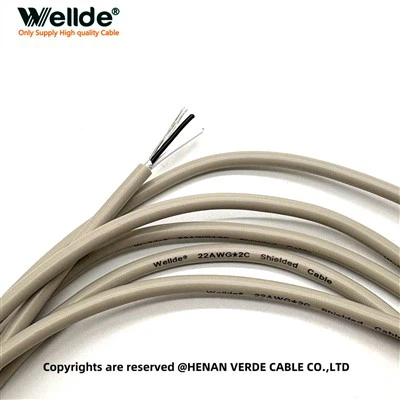
If you’re looking to stock up on quality Cat5e cables and all the tools you need for installation, feel free to reach out to us to chat through your needs—we’re here to help, whether you’re a first-timer doing a home setup or a pro working on a commercial project. No question is too small, and we’ll make sure you get exactly what you need without overpaying.
Shielded Signal Cable References:
- TIA/EIA-568-C.2 Standard for Telecommunications Cabling
- Cat5e Installation Guide: Essential Tools and Best Practices, Network World
- RJ45 Modular Connector Compatibility for Ethernet Cabling, CEDIA Tech Briefing
Henan Verde Cable Co., Ltd.
Henan Verde Cable Co., Ltd. is well-known as one of the leading cat5e cable manufacturers and suppliers in China. Please feel free to wholesale high quality cat5e cable in stock here from our factory. All products are with high quality and competitive price. Contact us for price list.
Address: Rm 1508, Kaixuanmen Building B#, No.238 Tongbai South Road, Zhengzhou City, Henan Province, China. 450006
E-mail: linda@welldecable.com
WebSite: https://www.welldecable.com/
